
Does myChevrolet App Work Without OneStar?
Interact with your Chevrolet and elevate your car ownership experience with the myChevrolet app. This application converts your smartphone into a command center, allowing you to monitor your vehicle from anywhere. The app is free to download and compatible with Android and iOS mobile devices. However, the app requires an OnStar subscription to maximize its full potential. OnStar is an in-vehicle service that keeps you safe and connected on the road. This article looks at how the myChevrolet app works without OnStar.
Overview of the myChevrolet App
The myChevrolet app is a mobile application for Chevrolet drivers. This innovative smartphone app lets you interact with your Chevrolet remotely from any supported location. It transforms your smartphone into a control center and syncs with your Chevy, allowing you to send remote commands, check vehicle diagnostics, and schedule auto service.
The app adds convenience and safety for Chevrolet drivers. You can use the myChevrolet app to start your car remotely, stop the engine, lock and unlock the doors, and schedule automatic starts. The app also lets you monitor your Chevy’s health or status by viewing tire pressure, oil life, mileage, and fuel range. You can also use the app to locate your vehicle or set boundary alerts. The app also supports service scheduling, allowing you to book repair or maintenance appointments with your preferred dealership. You’ll automatically receive notifications on your phone when your next maintenance appointment is due.
While the myChevrolet app is free, you need an active OnStar subscription to enjoy its full functionality. This in-vehicle technology gives you maximum control over your Chevy and provides access to various connected services. You can choose the free two-month trial or a paid OnStar subscription to unlock the app’s full functionality.
Does the myChevrolet App Work Without OnStar?
The myChevrolet app can still work without an OnStar subscription but with limitations. Some features are only available with an active OnStar plan. Bluetooth connectivity may enable certain app features, such as voice assistance, streaming music, and placing calls, regardless of OnStar. Chevy app features that work independently of OnStar include the following:
- Scheduling maintenance: You can use the myChevrolet app to locate a reputable dealer and schedule your next service. The app will alert you through your phone when your vehicle’s scheduled maintenance is due.
- Viewing vehicle status: The myChevrolet app lets you view your vehicle’s status, including the charge level, fuel range, and oil life, without OnStar.
- Monitoring tire pressure: Your car’s tire pressure is critical to safety. Check your vehicle’s tire pressure using the Chevy app without an active OnStar plan.
- Accessing owner’s manual information: If you want to troubleshoot your car or learn to use a specific feature, refer to the owner’s manual. View your Chevy’s manual via the myChevrolet mobile app.
- Locating charging stations: If you have an electric Chevy, the myChevrolet app can help you find the nearest charging station.
- Planning routes: Electric vehicle owners can use the Chevy app to plan routes and avoid traffic for a stress-free driving experience.
- Viewing myChevrolet Rewards: If you are a myChevrolet Rewards member, you can view your points balance using the myChevrolet app. This feature does not require an active OnStar subscription.
Limited Features Without OnStar
Using the myChevrolet app without OnStar has several limitations. Most remote access features in the myChevrolet app require an active OnStar plan for optimal functionality. Below is a list of limited or unavailable myChevrolet app features without OnStar:
- Remote vehicle access: You cannot send remote commands through the myChevrolet app without OnStar. Unavailable features include remote start and stop and remote lock and unlock.
- Roadside assistance: If your car malfunctions unexpectedly on the road, you can contact OnStar for roadside assistance via the myChevrolet app. However, this service requires a paid plan.
- Automatic crash response and emergency services: OnStar technicians are on standby to send assistance if you get into an accident. This feature requires an active OnStar subscription.
- Real-time location tracking and vehicle theft recovery: If your vehicle is stolen, you can use the Chevy app to contact OnStar for help tracking and recovering it. The app requires OnStar to unlock this feature.
Subscribing to OnStar can be a valuable investment for any vehicle owner. It unlocks the app’s functionality, allowing access to helpful features that keep you safe and connected behind the wheel. Car owners can quickly access safety and security features such as crisis assist, turn-by-turn navigation, and stolen-vehicle assistance for enhanced safety when on the road.
How To Maximize the myChevrolet App With OnStar
If you want to maximize the myChevrolet app, consider subscribing to OnStar. An active OnStar plan unlocks several advanced features and connected services, elevating your vehicle experience. OnStar offers subscription plans to fit every budget and connection need.
You can select from several different OnStar plans. The OnStar Connected Vehicle Plan provides unlimited in-vehicle data, remote vehicle access, and in-vehicle apps. The Safety & Security Plan covers emergency services, automatic crash response, and Guardian assistance. OnStar Essentials offers all the features available in the Safety & Security Plan and adds remote access, while the Premium Plan covers all the features available in every other plan.
The ideal OnStar plan depends on your specific needs. If you want comprehensive connectivity, safety, and security, consider subscribing to the OnStar Premium plan. This plan unlocks all the features in the myChevrolet app, from remote vehicle access and automatic crash response to unlimited in-vehicle data and stolen-vehicle assistance.
Get Extra Assistance With the myChevrolet App
The myChevrolet app is a game changer for Chevrolet owners. It lets you interact with your car from anywhere via your smartphone. A few taps on your device can unlock your Chevy’s full potential. While most features on the myChevrolet app require an active OnStar subscription, you can still use the app to access valuable services without a paid plan. However, an OnStar subscription may be necessary to use remote access and safety features fully. Contact Pride Chevrolet in Lynn, MA for help choosing the ideal OnStar plan, or visit us to test-drive new cars for sale equipped with the myChevrolet app.
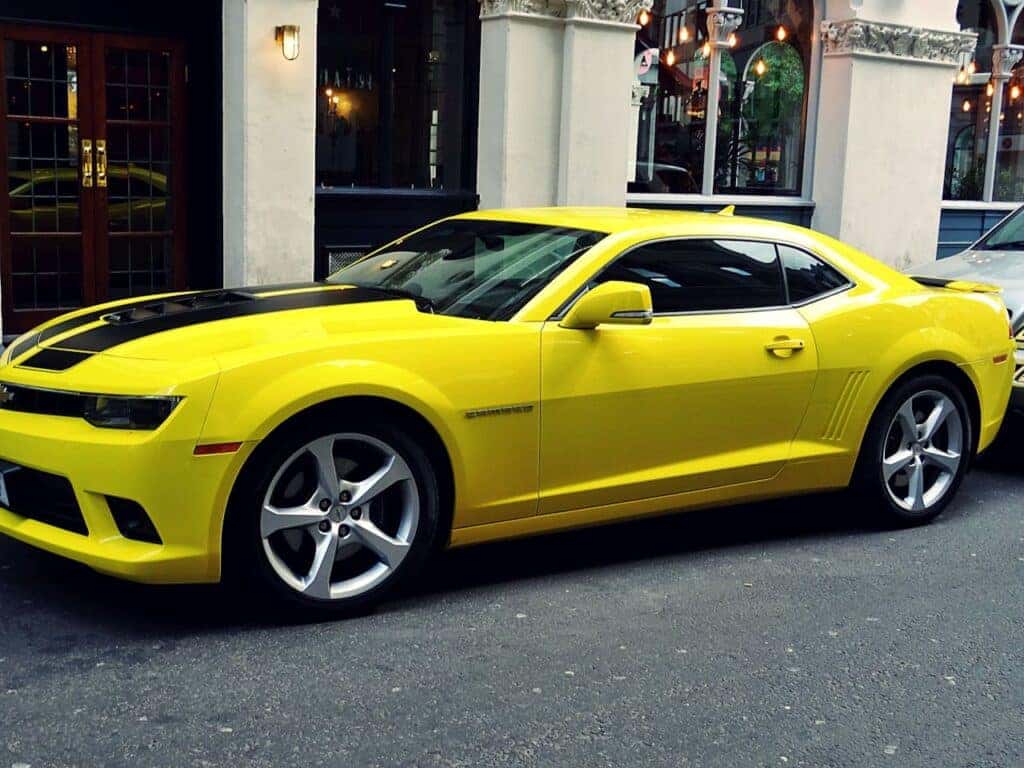
Yellow Chevrolet Camaro Parked Outside of Building by SevenStorm JUHASZIMRUS is licensed with Pexels License

0 comment(s) so far on Does myChevrolet App Work Without OneStar?