

Why is My Chevy EV Not Charging?
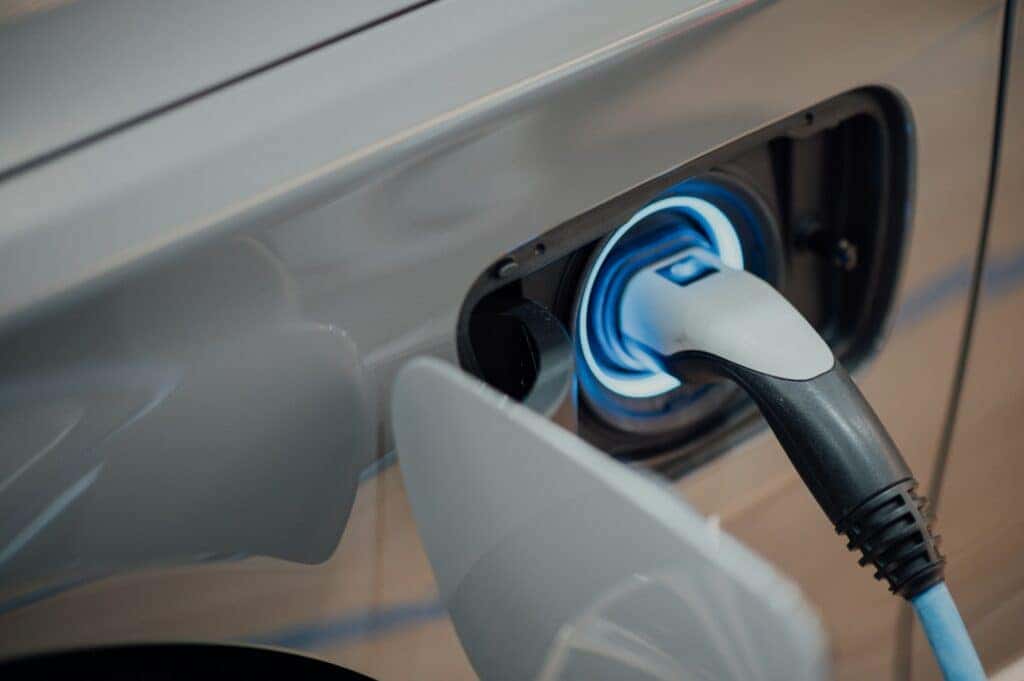
Are you experiencing issues with your Chevy electric vehicle (EV) not charging? This issue can be extremely frustrating, especially when you aren’t sure of the cause. Whether it’s a minor hiccup, such as a loose connection, or a more complex issue, such as battery temperature regulation, troubleshooting your Chevrolet Bolt EUV problems doesn’t have to be overwhelming. This guide will walk you through common causes and practical solutions to address charging challenges so you can identify and resolve the issue quickly.
If all else fails, our certified technicians at Pride Chevrolet in Lynn, Massachusetts, are here to assist with any professional diagnostics or repairs you may need to get back on the road. Read on to learn how to troubleshoot your Chevy EV charging issues or check out our current selection of Chevy EVs for sale.
Check the Charging Cable and Connection
Damage, debris, or an improper connection can disrupt the charging process. Inspect the charging cable for frayed wires, bent pins, or any other visible signs of wear. Then, check the charging port on your vehicle for dirt, debris, or moisture. Even minor obstructions can prevent a proper connection. Use a soft, lint-free cloth or an air blower to gently clean the charging port and cable connector. Avoid using abrasive materials that might damage the components.
Next, make sure the charging plug is fully inserted into the port, as a loose connection may result in intermittent charging. If you notice the plug sagging, adjust the cable position to alleviate strain on the connection. If you’re using a Dual Level Charge Cord, confirm the plug is securely attached to the control box. The assembly requires firm pressure to snap into place. By simply keeping your Chevrolet Bolt home charger clean and secure, you can avoid many common charging issues.
Make Sure the Charger Is Functioning Properly
If your vehicle displays an “unable to charge” message, the issue might be the charger itself rather than the car. Inspect the charger and its cable for physical damage, including cracks and fraying or exposed wires. Damaged equipment can prevent adequate power transfer. Check all connections to ensure the plug is fully inserted into the outlet and the charging connector is securely attached to your vehicle. Then, test the charger’s power supply. Plug the charger into a different wall outlet, if available, to rule out outlet-specific issues.
If you’re at a public charging station, try switching to a different charging stall or station to see if the issue persists. And if you have a second EV, try to charge it to see if you continue to have the same issue. This can help you determine whether the problem is with your Chevrolet Bolt or the charger itself. Finally, make sure the power supply matches the charger’s requirements. If you suspect deeper issues, such as insufficient power output or faulty wiring, consult a qualified electrician for a professional evaluation.
Verify Your Vehicle’s Charging Settings
Sometimes, Chevrolet Bolt 240V chargers may seem to malfunction due to the vehicle’s charging settings rather than an issue with the equipment. Delayed or scheduled charging features could be causing interruptions or delays in the charging process. To resolve this, check the charging settings on your vehicle’s infotainment display. Features such as Charge Later or target charge limits might be active, which can delay charging until a specific time or stop it before the battery reaches full capacity. Adjust or turn off these settings as needed to initiate immediate charging.
The myChevrolet app provides an easy way to manage and monitor charging schedules remotely. Use the app to review your settings, set charging preferences, or override scheduled charging if you need to charge immediately.
Check the Battery Condition and Temperature
Extreme weather conditions can trigger the dreaded Chevrolet Bolt charger yellow light indicator. In cold climates, the battery may take longer to warm up, delaying charging, while high heat can temporarily limit charging speed to protect the battery. To manage charging in extreme weather, consider preconditioning your vehicle while it’s still plugged in to make sure the battery and cabin are at optimal temperatures without draining the battery. In freezing temperatures, allow extra time for charging, as the system may need to regulate the battery before starting the process.
Consider Software Issues and Updates
Keeping your software updated can prevent you from frantically searching for answers about why your Bolt won’t charge. To check for updates, use the myChevrolet app or your vehicle’s infotainment system to access the software update menu. Make sure your vehicle is connected to Wi-Fi and has a sufficient charge before proceeding. For more complex updates, visit our service center for assistance.
Look For Faulty Charging Equipment
If your Chevy EV still isn’t charging, the issue may lie within the vehicle’s onboard charging system, including the onboard charger. Signs of a malfunction include inconsistent charging or no charging at all, even with a functional charger and outlet. To diagnose the issue, contact our Chevrolet-certified technicians at Pride Chevrolet. We can run specialized diagnostics to pinpoint problems with the onboard charger or related components. If repairs are needed, you can trust our authorized service center to meet Chevrolet’s quality standards.
When To Seek Professional Help and Schedule a Service Appointment
If your Chevy EV charging issue persists despite troubleshooting, it may indicate a more complex problem, including a defective battery, malfunctioning charging module, or other technical faults. These situations require the expertise of a certified Chevrolet technician to ensure proper diagnosis and repair. At Pride Chevrolet, our experienced service team is here to help. Whether you need advanced diagnostics, a battery health check, or repairs to your vehicle’s charging system, we’ll get your EV up and running again. Schedule a service appointment today or contact us with any questions.
white and blue plastic tool by CHUTTERSNAP is licensed with Unsplash License

0 comment(s) so far on Why is My Chevy EV Not Charging?